
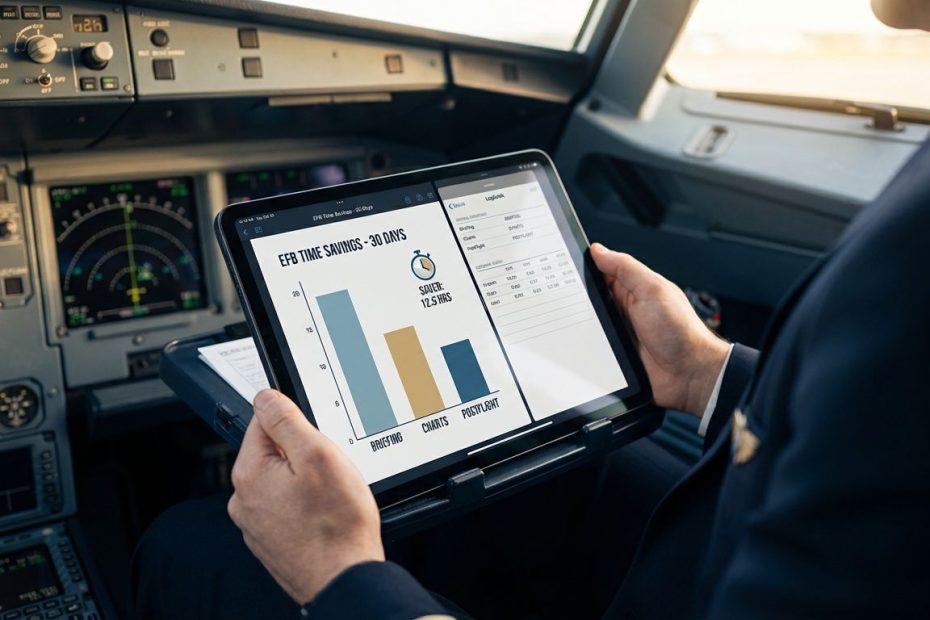
ForeFlight typically saves the most pilot time over a 30‑day period in general aviation because it compresses repeat tasks, briefing documentation, filing history, and postflight admin into one tight loop. In airline ops, an integrated EFB stack (often centered on Jeppesen-style briefing and flight folder workflows) can beat any GA EFB on total minutes saved by cutting report-and-brief time and eliminating “wait-for-revisions” delays.
This article breaks “time saved” into measurable buckets you can track across the last 30 days: preflight briefing, in-flight info retrieval, and postflight recordkeeping. You’ll get a practical way to score tools, plus the specific features that consistently remove minutes across a month of flying. The focus stays on repeatable wins, not feature checklists.
Which Flight Ops Tool Saves Pilots The Most Time In A Typical 30-Day Month?
Time savings stack up in two places: high-frequency tasks and high-friction tasks. High-frequency means you do it every leg (brief, charts, taxi lookup, close the loop). High-friction means the task regularly breaks your flow (missing airport diagram tiers, scattered weather sources, manual logbook times, or redoing a briefing because there’s no proof record).
In GA and Part 91/135-style personal EFB use, the tool that usually wins is the one that reduces taps and duplicates across planning, briefing, and after-action paperwork. ForeFlight tends to come out ahead here because it behaves like a single workflow, not a collection of features. When you can brief, file, reference, and later prove what was briefed, the savings show up across a whole month, not just on a “big weather day.”
In airline operations, the winner is often a different category: an integrated EFB and electronic flight folder workflow that removes waiting and rework. Jeppesen’s integrated EFB messaging calls out that pilots can access briefing packages anywhere and cut reporting/briefing time, with an example reduction from 30 minutes to 15 minutes when briefing can be completed before arriving at the airport. That type of win compounds fast across multi-day sequences and high leg counts.
ForeFlight Vs Garmin Pilot Vs iFly Vs FltPlan Go: What Feels Faster Day To Day?
Day-to-day speed is mostly “time-to-answer” when you’re under tempo. You’re not looking for a feature, you’re looking for an answer: runway and taxi details, routing and altitude decisions, weather trend confidence, NOTAM relevance, and quick confirmation that your administrative trail exists. The faster tool is the one that gets you to a confident decision with fewer mode switches.
ForeFlight’s speed advantage usually comes from consistency: predictable navigation, stable flows around Flights/Briefing, and strong “paper trail” behavior that reduces second-guessing later. Filing activity and associated details are retained indefinitely unless you delete them, which cuts down on rebuilding flights, copying routes, and reconstructing prior decisions when you need to reference what you did last month. ([support.foreflight.com](https://support.foreflight.com/hc/en-us/articles/360050731713-How-long-are-flight-plans-kept-on-file-with-ForeFlight?utm_source=openai))
Garmin Pilot can be a strong day-to-day tool, especially when you need an Android path or you’re invested in Garmin’s ecosystem. The time risk shows up when subscription tiers change what’s immediately visible, or when an expected airport diagram or map is not where you assumed it would be for the tier you’re running. When a chart you expect becomes a scavenger hunt, “time saved” turns into “time burned,” and that repeats across a month.
iFly and FltPlan Go can deliver real value, especially when budget and platform flexibility drive the decision. The time question becomes whether you keep your workflow inside one tool or constantly bounce between planning, weather, charts, and logging. If you need three apps to do what one app does cleanly, the month ends with a stack of small delays you felt on every flight.
What EFB Feature Saves The Most Minutes: Briefing, Charts, Performance, Or Logbook Automation?
Briefing workflow and postflight recordkeeping tend to win the “most minutes saved” category because they hit every flight. Charts matter, but chart time is often a “burst” task; admin time is a “drip” task that never stops. Over 30 days, drip tasks dominate.
On the briefing side, ForeFlight stores preflight briefing records for up to 120 days when a briefing is generated using the Briefing button in the Flights view. That reduces time spent proving compliance, answering internal questions, or reconstructing what was reviewed when a detail gets questioned later. It also stops the common trap of thinking “looking at METARs on a map” equals a recorded briefing, since viewing alone does not create the record.
On the logbook side, automation is where minutes disappear quietly in your favor. ForeFlight can auto-fill OOOI times from a track log: Off time when takeoff exceeds 60 knots, and In time approximately 15 minutes after landing detection, with Out time based on the first recorded data point up to 30 minutes before liftoff. When you fly multiple legs per week, this removes a steady stream of manual entries and fixes the “I’ll do it later” backlog that eats a weekend.
Performance planning can save time if you do it often and do it seriously, especially when you’re operating near constraints. Yet performance is not always the daily bottleneck for every pilot. Briefing and logging usually are, and that’s why they win the 30‑day scoreboard more often than not.
In Airlines, What Actually Saves The Most Time: Integrated EFB Briefing, Load Sheets, Or Nav Logging?
Airline time savings come from eliminating waits and preventing rework. A stand-alone chart viewer doesn’t move the needle much when the real delay is “waiting on the latest package,” “sorting revisions,” or “signing and returning documents.” Integrated EFB workflows target exactly those choke points.
Jeppesen’s integrated EFB messaging highlights two big time levers. One is briefing earlier than the airport, which can reduce reporting/briefing time, with an example of 30 minutes reduced to 15 minutes when pilots can access briefing packages anywhere. The other is instant updates that remove the need to wait for delivery of flight plans, revisions, or load sheets, plus the option to sign digital load sheets while taxiing. These are operational minutes that directly affect departure readiness and turn performance.
Nav logging and in-flight referencing still matter, yet they are not always the largest time sink. If your operation struggles with late paperwork, last-minute revisions, or gate/turn pressures, an integrated briefing-and-flight-folder flow is usually where the biggest month-over-month gain lives. When you multiply even 10 saved minutes by a high leg count, the tool choice stops being a preference and starts being an operational decision.
Are New Tools Like 8Flight Actually Saving Time Versus ForeFlight And Garmin Pilot?
New entrants can save time when they remove a specific pain point you feel repeatedly. If your biggest time loss is weather confidence, weather “staleness,” or bouncing between sources to confirm what’s real, a tool that tightens time-to-confidence can beat a classic planner on certain months.
AOPA’s coverage of 8Flight describes a weather layer that uses AI to gather and process data from FAA weather cameras, automated weather observing stations, and other sources, aiming to shrink delays and get closer to true real-time reporting. It also quotes the claim that some current weather platforms can show information that is 15 to 20 minutes old, which can mislead a pilot about how close adverse weather actually is. If you spend repeated minutes refreshing, calling, or second-guessing, reducing that loop saves time across a month.
8Flight’s other time play is interface compression: placing more information on a single screen so you stop swiping through layers to find what you need. That’s a speed advantage when you’re moving fast and need quick confirmation, not a deep planning session. It won’t beat a mature EFB on every workflow, but it can win your personal scoreboard when weather verification and airport/FBO intel dominate your month.
The professional way to judge it is simple: measure how many “extra checks” you run per flight today, then see if the new tool eliminates them without adding new ones. If it removes two checks but forces three new steps somewhere else, it’s not a time saver, it’s a redistribution.
What Wastes The Most Time In Flight Ops, And How Do You Cut It Out?
The biggest time drain isn’t usually one big event. It’s repeated micro-friction: duplicated planning steps, unclear proof of what was briefed, and admin tasks postponed until they become a pile. Over 30 days, those minutes outweigh the occasional complex reroute.
One common waste is briefing without a record. You brief in good faith, then later someone asks for proof, or you personally want to confirm what was reviewed before departure. ForeFlight’s behavior here is explicit: a record is created only when you generate the briefing using the Briefing button in the Flights view, and those records are stored up to 120 days. When you build the habit correctly, you stop paying the “reconstruct what happened” tax.
Another slow leak is manual timekeeping and logging. Even if manual entry only takes a couple minutes per leg, it accumulates fast. Track-log based auto-fill for OOOI times removes that repetitive entry and reduces errors that later cost more time to correct than they ever saved in the moment.
A third waste is losing track of what was filed and what route actually worked last time. When filed flight plan activity and details remain retained unless deleted, you stop rebuilding from scratch and move quicker on repeat missions. Over a month, repeatability is a serious operational advantage.
How Do You Measure “Saved The Most Time” Over 30 Days Without Guessing?
You can measure this with a simple scorecard that fits on one page. The objective is not to crown a universal winner; it’s to identify what saved you time in your own flying profile. You’re measuring minutes, not opinions.
Track three buckets per flight: preflight (plan, brief, file), in-flight (time to retrieve charts, taxi, alternates, weather confidence), and postflight (logbook, compliance admin, saving and reusing routes). Use a short note after each flight: “What slowed the flow?” and “What removed steps?” After 10 to 15 flights, patterns show up, and the tool that wins will be obvious.
Include one adjustment factor that pilots often ignore: setup and training time. A tool can save time per flight but still lose the 30‑day contest if you burn hours migrating data, reconfiguring downloads, or relearning flows mid-month. If you run a high leg count, setup cost amortizes quickly; if you fly twice a month, setup cost dominates.
When you score honestly, the “most time saved” result usually aligns with one of two realities. Your month was admin-heavy and repeat-mission-heavy, so a mature EFB workflow wins. Or your month was weather-uncertainty-heavy, and a tool that compresses verification loops wins. The scoreboard answers your question without debate.
Which Tool Saves The Most Time In 30 Days?
- GA/Part 91: ForeFlight often wins on repeatable time saved via stored briefings and automated logbook times.
- Airlines: integrated EFB workflows often win by cutting report/brief time and eliminating revision delays.
Put Your Stopwatch On Your Workflow And Keep The Winner
The tool that saves the most time in 30 days is the one that removes repeated friction you feel on almost every flight: briefing you can later prove, routes you can reuse, and logs that don’t demand manual cleanup. ForeFlight frequently wins that contest in GA because it preserves briefing records up to 120 days when you generate them correctly and it can auto-fill OOOI times from track logs, which quietly removes minutes from every leg. In airline ops, integrated EFB workflows can outperform any stand-alone planner by cutting report/brief time and by eliminating delays tied to revisions and load sheets. Pick your winner with a simple per-flight scorecard, then standardize your flow so the savings don’t evaporate under pressure.

Chrysilios Chrysiliou is a commercial real estate executive at RDPH Properties, Inc. with a diverse background in aviation and entrepreneurship. A former Greek Air Force Academy graduate, flight instructor, and flight school co-owner, he now leverages decades of strategic leadership to identify and develop high-value real estate opportunities.